Showing posts with label week 1. Show all posts

Thursday, April 3, 2014

Reed Herne: Week 1 Castle


 Ghosted
  POV reference
 Rendered
 Rendered #2
 

My intend for this project was to build a castle in order to grasp the basic concepts of working with the Rhino software. While designing this model I was inspired by modern-style seaside homes. I chose to model my castle based on these homes because of their linear and geometric simplicity; ideal attributes for my first project using Rhino. Due to this influence my castle is built out of basic linear shapes with only one curvilinear aspect throughout the model.

Modeling techniques I implemented for this project include, solid creation, explode, join, scale, boolean difference/union, trim, planar surface, curve, extrude curve/surface. In order to create the objects necessary for my design the create solid and extrude curve tools were my primary techniques. However, at times it was more practical to use the boolean difference tool as a subtractive method to create desired objects. In my process I discovered that oddly shaped objects could be easily mapped out using the curve tool and then extruded.

In keeping with the coastal castle theme, I wanted the castle to reflect the seaside environment. Stone materials such as travertine and marble reflect the rock and sand of the beach while the blue curved glass reflects the surface of the ocean. The majority of the structure is surfaced with white plastic providing a neutral background while the secondary material, marble, adds variety and another wave type texture.
 

Tuesday, April 1, 2014

Ruan Basson: Week 1 Castle

 Pedestrian View
Bird's Eye View
Ghosted View

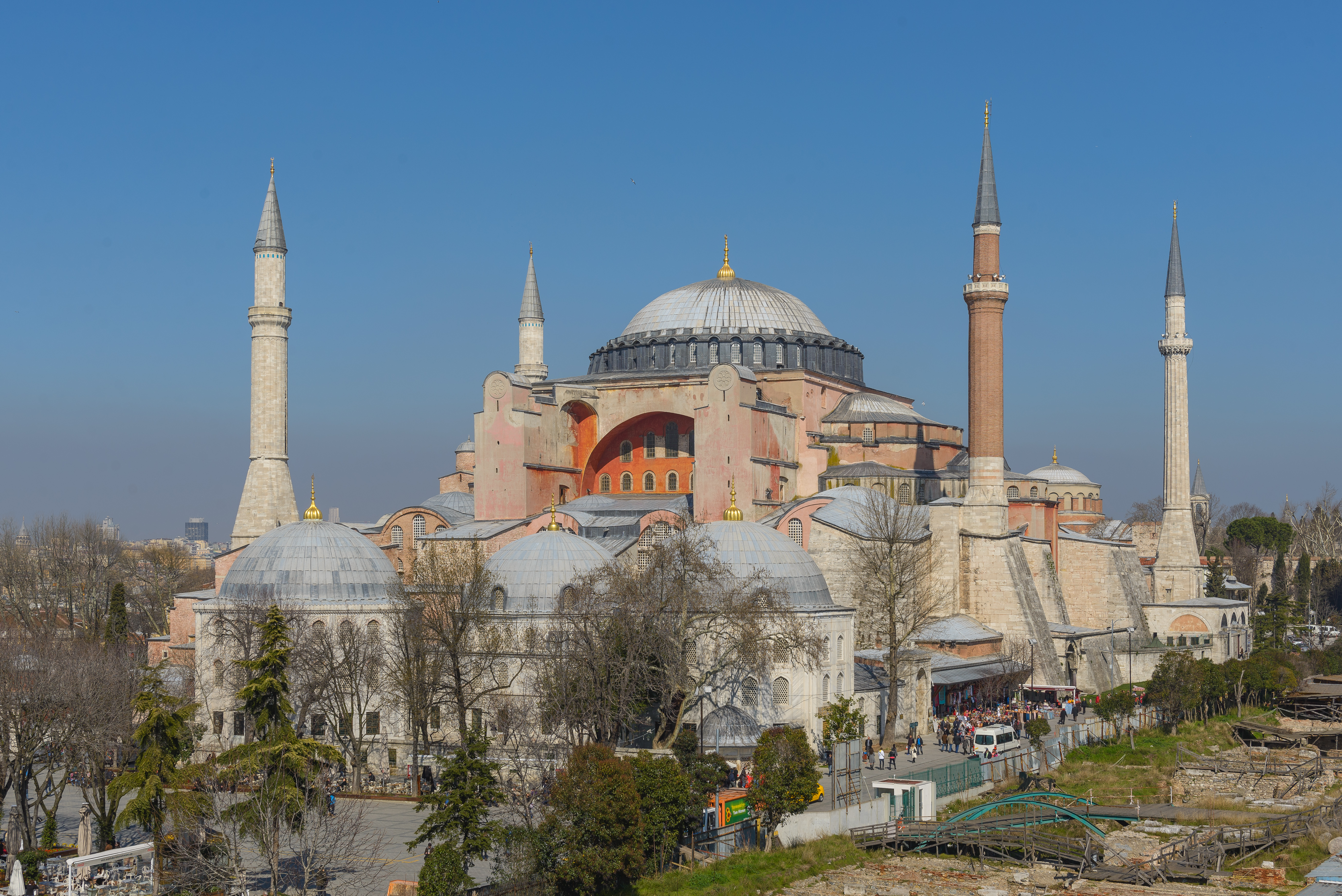
The inspiration for this castle came in three parts.  One was the castle Prof. Scott designed in class, the next is the Hagia Sophia in Turkey, and the final inspiration stemming from the design of the city of Asgard in the movie Thor.  I liked the permanence that the two latter structures gave, so I tried to convey the same in my castle.  It is bottom heavy to provide the illusion of stability and it is also very large (in concept) to further purvey that feeling.  

To model the castle, I used mostly the 'Solid Building' tools.  the exceptions being the cutouts, which use the Boolean Difference tool, and the supports, which use the Extrude to Point tool.  For all of these I used a combination of the handled curves and linear segments.  Another tool I found extremely useful is the Polar Array command.  This saved me a lot of time and irritation by doing most of the work.  I also learned about the Gumball tool from the Lynda.com videos, and this helped a lot with moving and duplicating objects (holding the Alt key while moving).  

The materials I used represent me as a jewelry designer, while the construction itself represents my love of Industrial Design.  The outer wall is aquamarine, the 'nests' are diamond. I used anodized aluminum for the main structure and gold and silver for the turrets/minarets.  I made the large orbiting toruses light elements, because of my love of lighting design.

Monday, March 31, 2014

James Blake Stephenson: Week 1 Castle

Bird's Eye View

Pedestrian View
Ghosted Image

     My castle design was based off of my idea of a traditional castle.  An entrance, long hallway and then the main building of the castle.  However, being designed in modern times I felt that walls surrounding the compound was unneeded.  I looked at old models on the blog and found that I was much more attracted to simple models and simple castle designs when I was looking at reference images as well.

     The modeling techniques used throughout the design of my castle were Curve, ExtrudeCRV, CurveBoolean, Rotate, Copy, Explode, Join, Boolean Difference, along with a few others.

     The only material that I put on my model in KeyShot was matte grey.  I thought that with a more simplified traditional style castle a simple texture would suffice.  I tried putting stone on the model but I thought they were all to unrealistic to do this particular design justice.

Joel Salomonsson: Week 1 Castle


Bird's Eye View
 Ghosted Image
 Render 3
 Render 4
Pedestrian View


My inspiration came from the Hagia Maria Cathedral and the Oxford campus in England. I have a lot of experience with AutoCAD and 3dsMax so i did not struggle as much as i thought i would in the building techniques, however I struggled a lot in the design of the castle since architecture is not my strong side. I used a lot of curves and both CurveBoolean and BooleanDifference making this castle. I tried to keep everything as simple as possible by using simple shapes such as rectangles and circles and work further from those objects. In fact most of the castle is built by using rectangles and circles in different ways. I used ExtrudeCrv for almost every single object and I also used arrays, scale and copy.

Monday, July 1, 2013

Vitaliy Pankov: Week 1 Castle

My castle is inspired by works of such futurists as Daniel Simon and Syd Mead. When approaching this project I wanted to combine medieval past together with the far future that may lay ahead of human civilization and see how a castle could evolve throughout millenniums .


Lucy Meadows: Week 1 Castle

My castle was inspired by a small castle I played with as a child. This project gave me an opportunity to explore the basics of Rhino.


Ghosted View

Ant's Eye View

Bird's Eye View

Nicole Corlett: Week #1 Castle

My castle was inspired by Walt Disney's castle.  Exploring Rhinoceros 4.0 software, I was able to create a basic castle and render it with Rhino's rendering tools.
Rhino Rendered
Ghosted View/Screenshot
Birds Eye View/Screenshot
Ants View/Rhino Rendered

Friday, June 28, 2013

Karla Ronaszegi: Week 1 Castle


This castle project was great it helped me learn the basics in Rhino. It got me excited about learning to become a professional in the program. My design was inspired by small american castles in America. I tried to use all the different techniques taught in class starting with mapping out first and extruding those lines. This beginners project started me out well in learning Rhino 4.0


Bird's Eye View


Ant's Eye View


Ghosted View


Final Rendered View